RedMart Your Convenient Online Grocery Store
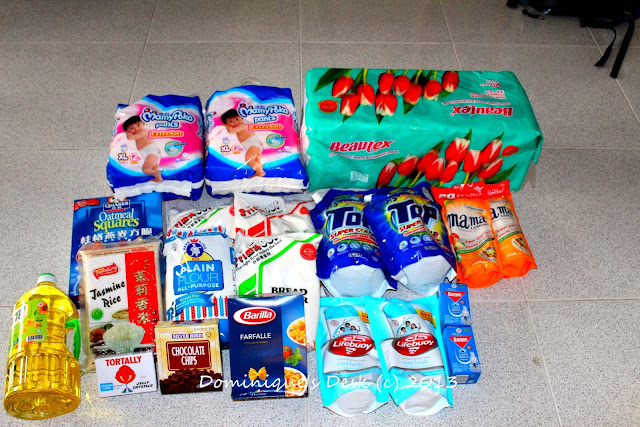
My Loot
Shopping for groceries has never been easier since I discovered that I can shop online for groceries at RedMart. You be amazed at how easy it is to shop from the comfort of your home.

Redmart’s website
The website is very user friendly. The main page is uncluttered and you are given two options on how to look for the products which you would like to purchase.
1) You can look through the various categories.
2) Search for the item directly by keying the name within the search box at top of the screen.

The category and subcategories
If you have clicked on the category above – Food Cupboard (Number 1), you will see that the website would have opened up into a sub-page which displays the items under the heading – Rice, Noodles & Pasta.( Number 2) .
You can even look at just all the brands of instant noodles they offer by clicking directly on the sub category- “Instant Noodles”.
If a particular item is no longer in stock the word “Sold Out” will be highlighted over the item like for the Royal Umbrella Fragrant Rice as shown above.

The packaging of the biscuit magnified
If the small icons are hard for you to view you have the option to have the packaging enlarged so you can have a clear look at the package . You can even study the ingredient list on the back of the packaging if so you will know if the item is made from ingredients which are suitable for your dietary needs.
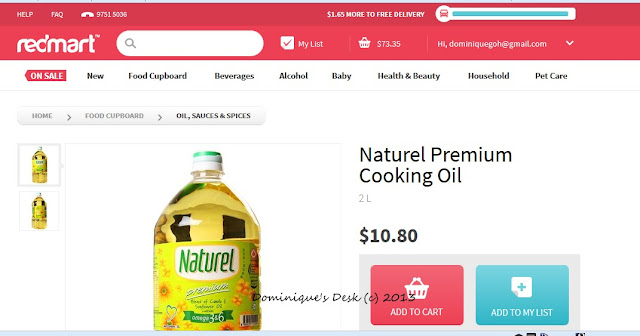
Looking at cooking oil
Cooking oil is one item which is used up very quickly in our house. I prepare all 3 meals for the kids at home on the weekdays so there is a lot of cooking done. As you can see in the screenshot above you have the option to add the item to cart or add to your wish list if it is currently out of stock.
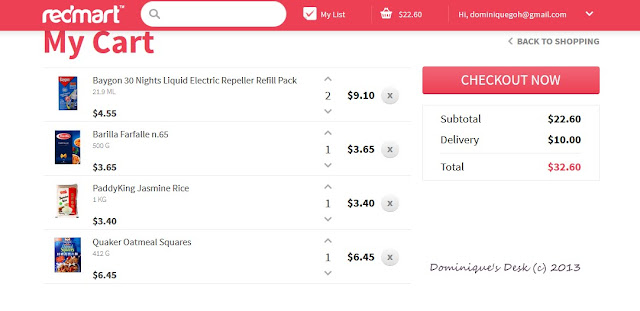
Checking out the shopping cart
As you add items to the shopping cart the amount that you spent is automatically being tallied up. By clicking onto the shopping trolley you will be able to see the items which you have selected and the amount you have spent so far.

Adding an item to the cart
As you add your shopping item to the cart you will be able to see the amount you will need to spend ( Minimum of $75) to get free delivery. This is clearly shown in the blue bar at the top of the screen in the screen shot above.

Input your delivery address
Once you have confirmed the items you wish to purchase it is time to move on to the next screen where you have to enter the following data
– Address
– Contact Number
– Email address.
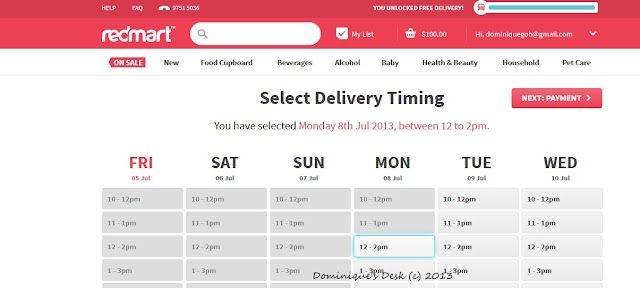
Choosing the delivery timing
With the delivery details sorted out it is time to choose when you wish to have the items delivered. The next screen is a calendar whereby you are able to select the timing and day of delivery. The deliveries are in two hour time slots and they promise to get the food delivered within your chosen slot.
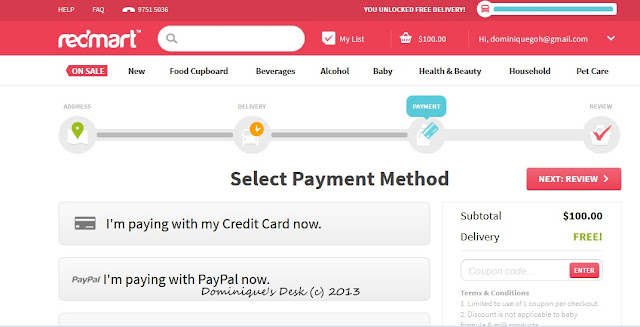
Making Payment
Once you have confirmed the timing for the delivery of the items you will be sent to the next screen whereby you can choose your mode of payment. There are three modes of payment- Cheque, Visa or via Paypal.
See it’s that simple!!
The whole shopping process took less then 30 minutes and a e-mail confirmation was sent immediately to me once I have completed my order. The goods were delivered on stipulated date and during the given timing. The delivery man even called before he came to ensure that I was at home to receive the delivery.
Won’t you consider shopping with RedMart too?
Disclosure: All opinions are 100% my own.This post has a compensation level of 13. For more information visit our disclosure page.


